
This documentation is for a Forgejo version which is not yet released.
To read the documentation for the released version of Forgejo, navigate to the latest version.
Code Search
Forgejo supports code search through an indexer and git-grep as a fallback when REPO_INDEXER_ENABLED is disabled.
Basic (git-grep)
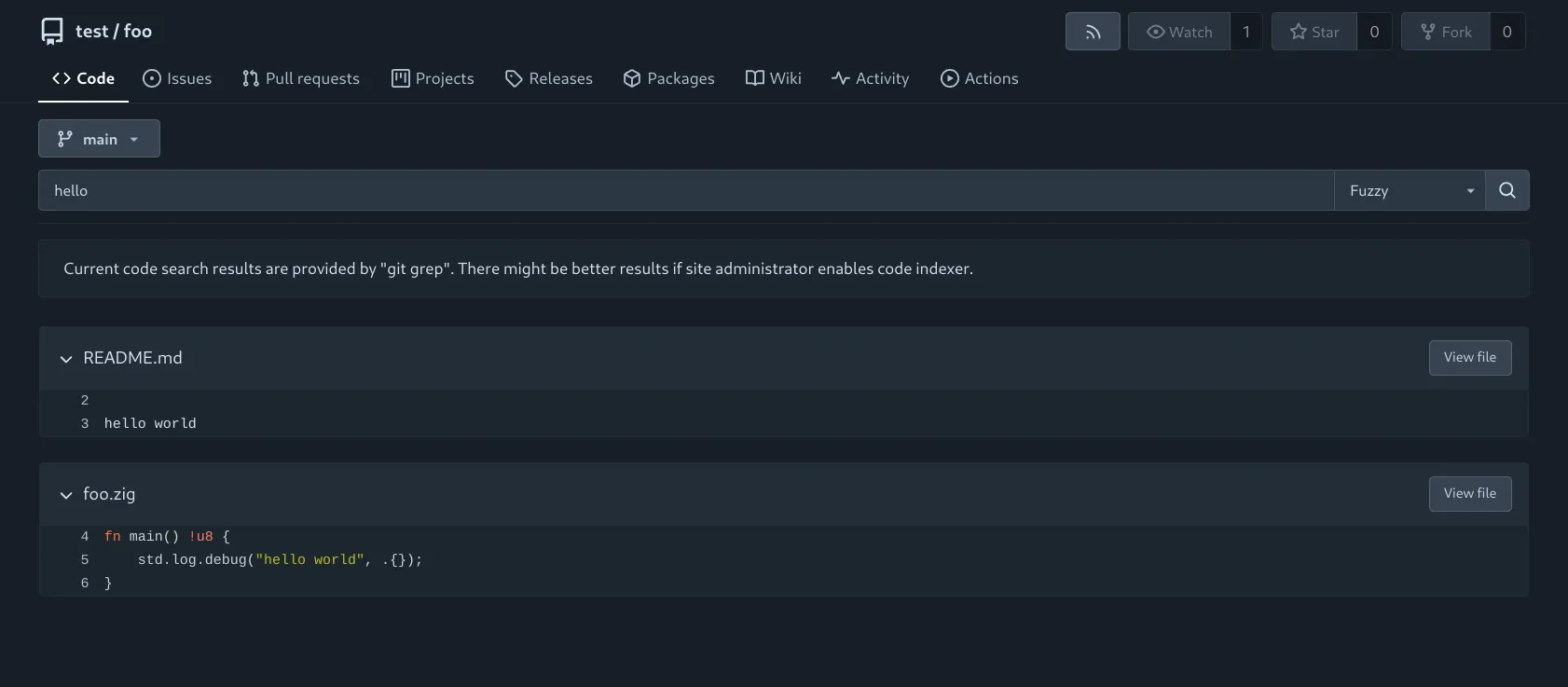
When REPO_INDEXER_ENABLED is set to false, code search is restricted to a single repository, utilizing the git-grep command.
Supported Options
The following options are currently available for code search while using git-grep.
- Exact: Perform an exact match on the provided expression.
- Union: Conduct a union match, returning results that contain at least one of the specified keywords. For example, a search query containing
hello worldwill yield results with eitherhelloorworld. - RegExp: Utilize the provided regular expression to perform a pattern-based match (matches will not be highlighted).
Scope
Since git-grep is performed on the fly, it can be executed on any valid branch or tag. The currently active branch/tag is displayed as the default value in the dropdown menu above the search bar, allowing users to easily switch between branches and tags.
Searching within a specific directory (or file) executes git-grep using a literal pathspec for the given path. If REPO_INDEXER_INCLUDE has been set by the administrator, the filter is added if and only if it matches one of the globs.
Example
Performing a search for foo at /{user}/{repo}/src/branch/main?path=src returns results that belong to the branch main inside the directory /src.
main
├── docs -> [...]
└── src
    └── main.go
    └── utils.go
In the above figure, the search would match results for foo in main.go and utils.go, but not from docs/*.
Indexer
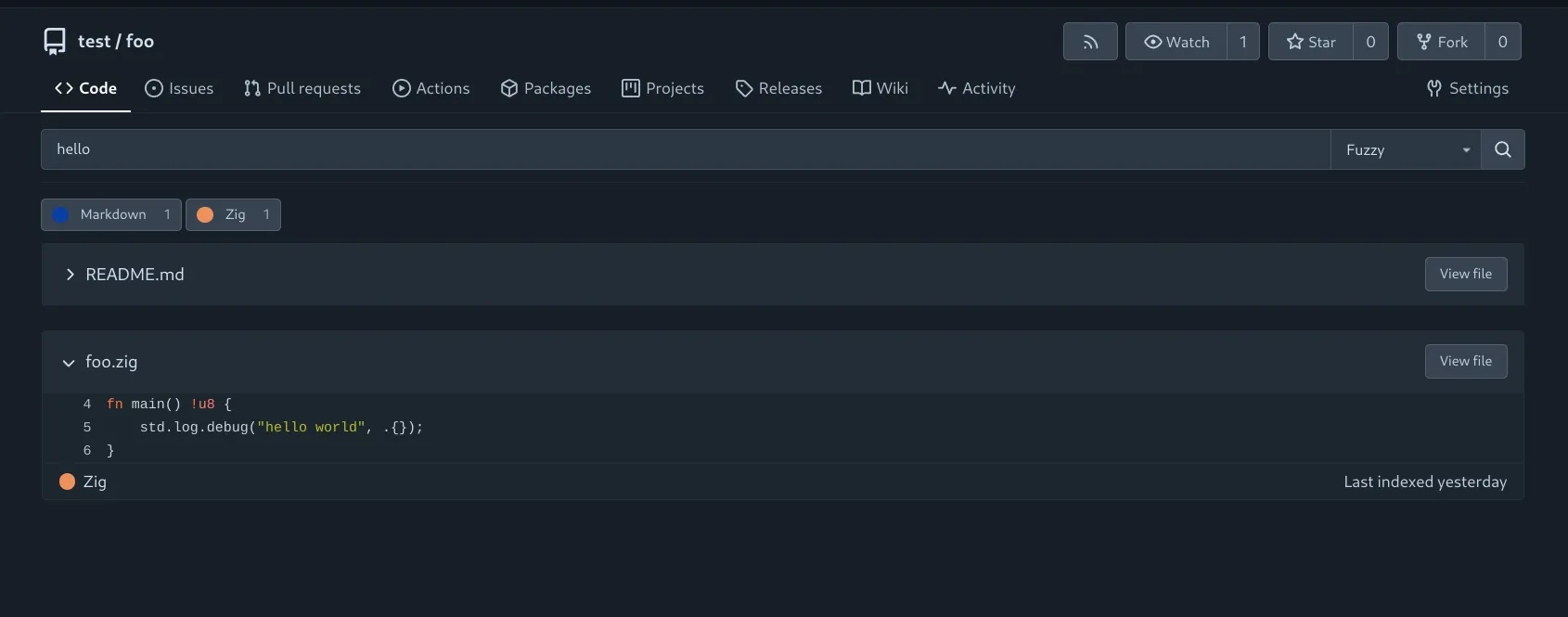
For complex searches or cross-repository queries across an entire organization or instance, REPO_INDEXER_ENABLED must be set to true.
This enables code search via the selected indexer (REPO_INDEXER_TYPE).
Supported Options
The following options are currently available for code search while using an indexer.
- Exact: Perform an exact match on the provided expression.
- Union: Conduct a union match, returning results that contain at least one of the specified keywords. For example, a search query containing
hello worldwill yield results with eitherhelloorworld. - Fuzzy (if enabled by the administrator): Conduct a fuzzy search, returning results that contain the keyword within a maximum edit distance of 2. For example, a search query containing
hellowill yield results with:- edit distance of 0:
hello - edit distance of 1: For example,
hllo(delete),helloo(add),hallo(modify).
- edit distance of 0:
Fuzzy search requires the admin to set REPO_INDEXER_FUZZY_ENABLED.
Scope
Please note that when using the repository indexer, search results are limited to the contents of the default branch of each repository.
Similar to basic search, searching within a directory (or file) is also possible for advanced search.
However, unlike basic search, the search is more granular as it applies the filter but selectively includes/excludes files depending on REPO_INDEXER_INCLUDE/REPO_INDEXER_EXCLUDE.