
Project API
Architecture Overview and Architecture Decision Log
-
-

-
-
-
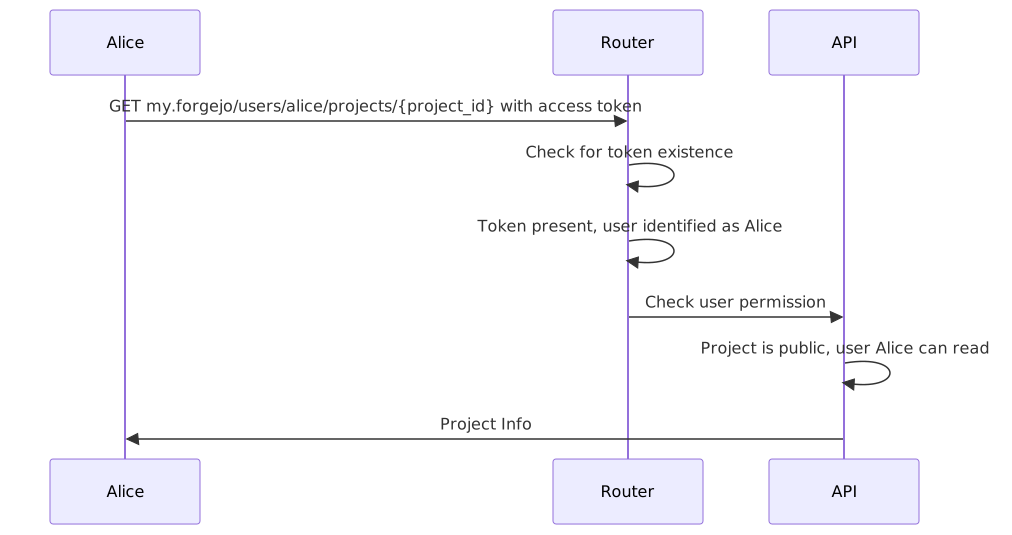
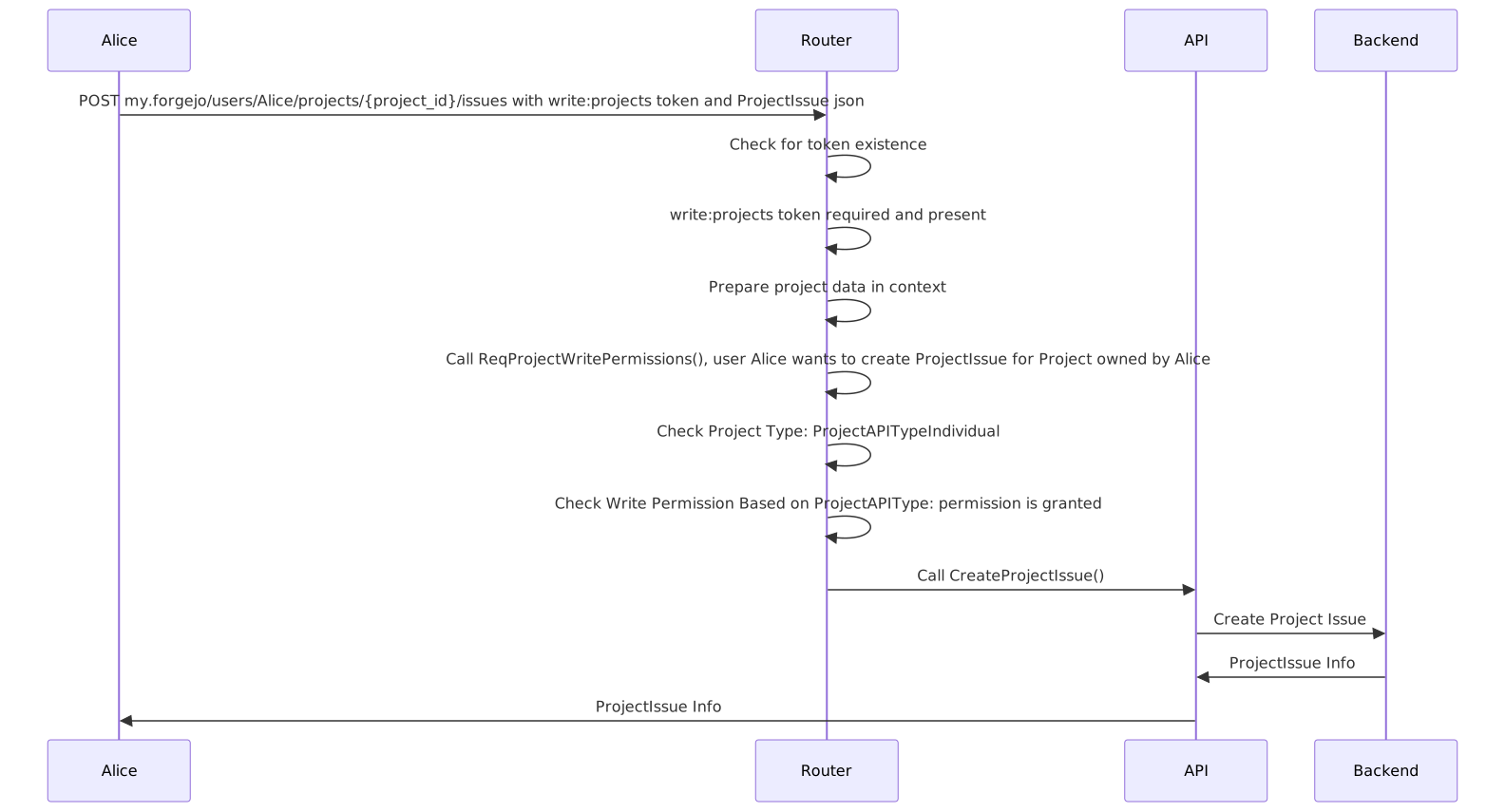
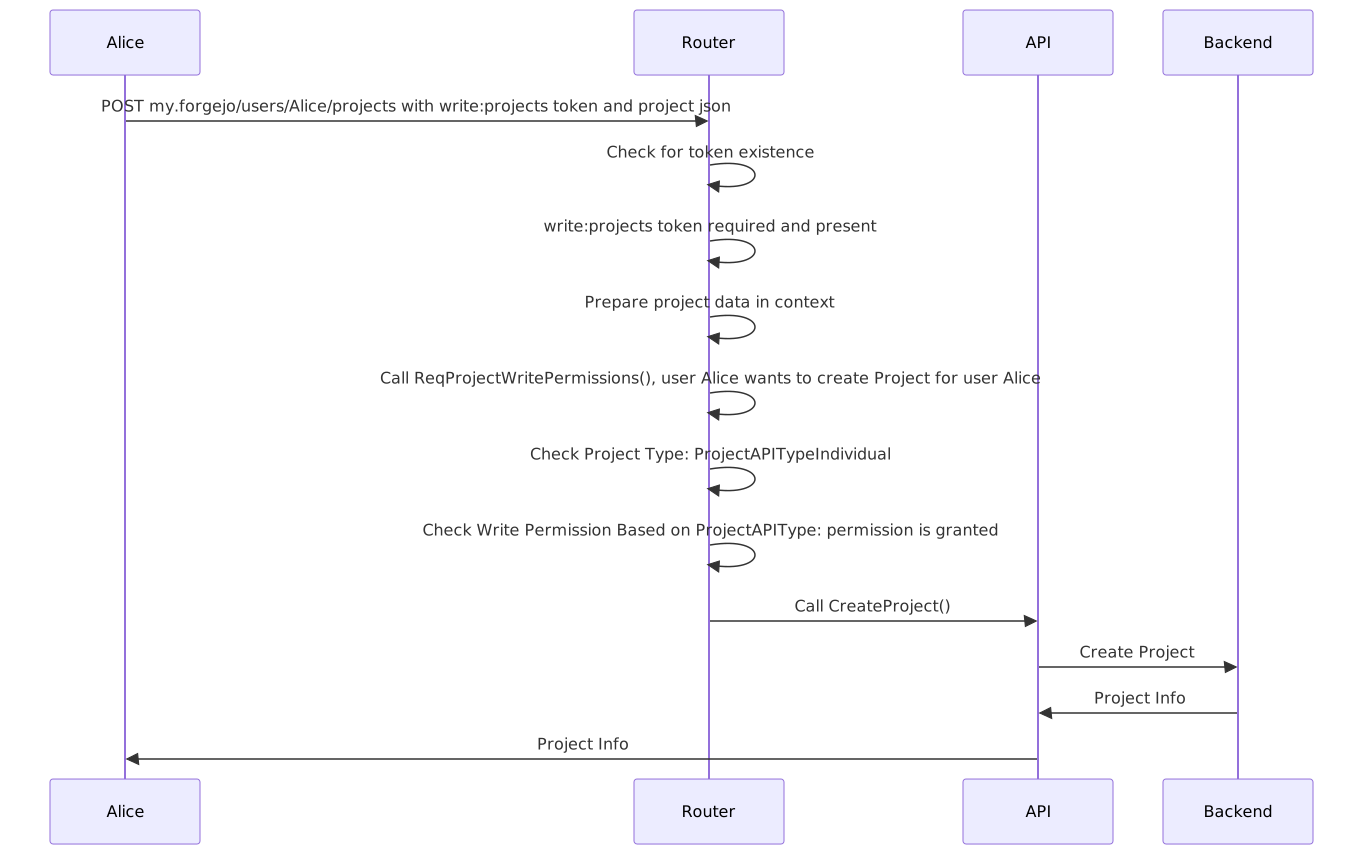
This is an overview how auth flows work currently.

ADL
- The column first created in a project is always the default column.
- API Response for issues and columns is sorted by
Sorting, which is the visual sorting of columns and issues in a project. - We’ll introduce the
AccessTokenScopeCategoryProject,AccessTokenScopeReadProjectandAccessTokenScopeWriteProject. - We use the interface delegation pattern as already done with
addActionRoutes()in the api router. - The context now has a project field, that will be filled with ids of project, column, issue.
- The project field in the context will be used to do permission checking in the router, so we don’t have to repeat the checks in the API functions.
- ID and Input validation happens in the service, allows for better testability.
- All interactions with the Project API require at least a token with
read:projectpermissions.